
Vemco NCTM
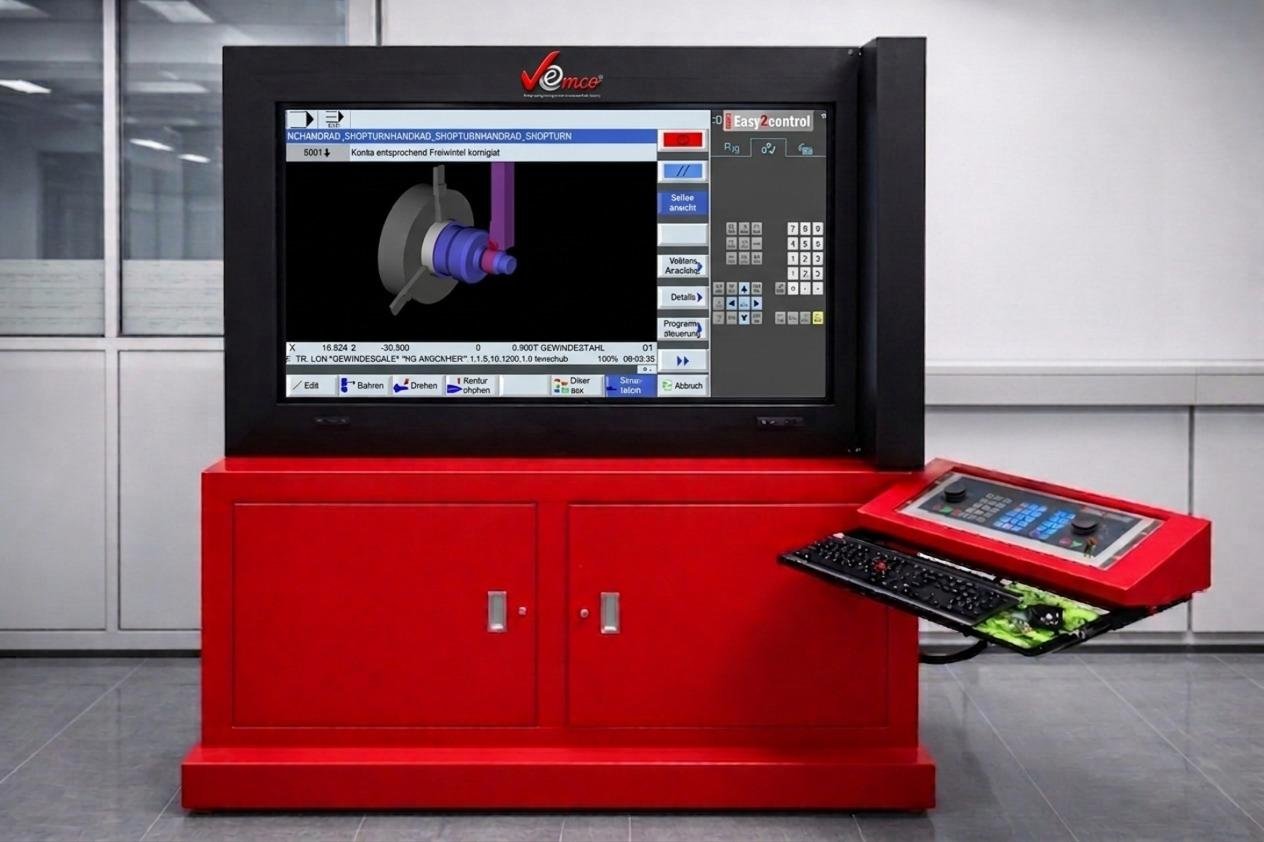
VEMCO® CNC Simulator for Trainer Large Size Smart Touchscreen
The VEMCO® CNC Simulator for Trainer is a high-performance, large-scale educational solution designed to bridge the gap between classroom theory and industrial reality. Centered around a massive 65-inch Full-HD touchscreen, this console provides instructors with a powerful platform to demonstrate complex machining processes with total clarity.
The most significant advantage of the Vemco® Trainer is its ability to provide comprehensive training for all leading industrial controllers within a single unit. Instead of requiring multiple machines for different systems, a single trainer can be instantly reconfigured to simulate the exact interfaces currently used in the global manufacturing industry.
- Sinumerik Operate
- Fanuc 31i
- Heidenhain TNC 640
- Fagor
This allows institutions to offer a diverse curriculum and prepare students for any workshop environment they may encounter in their careers, all from one centralized console.
Get Catalog By WhatsAppThe "New Operating Concept":VEMCO® Operating Panel
At the heart of the simulator is the new VEMCO® Operating Panel. This software-driven interface replaces traditional, rigid hardware with a flexible, digital environment that mimics real-world CNC controls.
Key Features
Virtual Control Panels
Toggle instantly between machine controls, CNC commands, and quick-access functions via an intuitive tab system.
Touch-Optimized Interaction
Use the 65-inch touchscreen to operate buttons, sliders, and rotary knobs directly on the monitor, or use the integrated physical keyboard and mouse for precision input.
Unmatched Flexibility
The interface can be customized with customer-specific screen layouts, ensuring the training matches the exact machine configurations found on the shop floor.
Interchangeable WinNC Controls
The simulator is not locked into a single ecosystem. It supports the industry’s most prominent control systems, allowing students to become "multi-lingual" in CNC programming.
- • Sinumerik Operate
- • Fanuc 31i
- • Heidenhain TNC 640 & TNC 426/430
- • Fagor
Note: For evaluation, the VEMCO®
Operating Panel can be activated in the
WinNC DEMO version without a license key via the EMConfig tool.
Win3D-View: High-Fidelity 3D Simulation
To ensure safety and visual comprehension, the system includes Win3D-View, a state-of-the-art 3D simulation engine for both turning and milling operations.
| Feature | Benefit |
|---|---|
| Ultra-Realistic Rendering | Tools, blanks, and clamping devices exceed industrial graphic standards for a lifelike experience. |
| Collision Detection | Automatically checks tool paths against workpieces and clamps to prevent virtual crashes. |
| Real-time Visualization | Students see the material removal process in real-time, helping them understand the physics of cutting. |
Technical Highlights for Educators
65-Inch Interactive Display
Ensures every student in the room can clearly follow the instructor’s movements and code changes.
All-in-One Console
Heavy-duty industrial cabinet with ergonomic swing-arm keyboard and secondary hardware control interface.
Rapid Configuration
EMConfig tool allows teachers to swap between machine types and control versions in seconds.
Modular Growth
Seamlessly integrates with existing training machines and modular simulation workplaces.